Meet Sales Gorilla: The CRM Built for Multi-Channel Sales Teams
Sales teams rarely work from one channel anymore. A prospect might first reply on LinkedIn. The rep follows up by email. A phone call happens two days later. The customer sends a question through WhatsApp. Someone on the team adds an internal note. A proposal goes out by email, and the next follow-up is scheduled after another call.
The conversation makes sense to the salesperson. The CRM often sees only pieces of it. That creates one of the biggest problems in modern sales operations: customer conversations are spread across too many tools. Reps jump between email, phone systems, messaging apps, LinkedIn, spreadsheets, and CRM tabs. They copy notes manually, forget to update activities, and sometimes lose important context completely. Managers can see the deal stage, but not necessarily what actually happened during the last three conversations.
Sales Gorilla is built around fixing that disconnect. Instead of treating the CRM as a database where salespeople occasionally update deals, it brings customer conversations, calling, follow-ups, pipeline activity, and daily sales work into one workspace with a unified customer timeline, browser-based calling, AI call analysis, deal management, follow-up queues, multi-business workspaces, white-label branding, and role-based access.
The Problem With Multi-Channel Sales
The more channels a sales team uses, the easier it becomes to lose context. A rep connects through LinkedIn, continues by email, calls the prospect, receives a WhatsApp pricing question, then another salesperson joins the deal while a manager wants to review what happened. If each channel exists separately, someone has to reconstruct the conversation manually.
Important context gets lost
A prospect may have already explained their biggest objection during a phone call. If that call is not connected to the CRM record, another salesperson may ask the same questions again which does not create a great customer experience.
Follow-ups become inconsistent
Salespeople often manage follow-ups using CRM reminders, inbox flags, calendars, notes, and memory. The more deals they handle, the easier it becomes for something to disappear.
Managers see the pipeline, not the conversation
A deal sitting in the Proposal stage does not explain why it has been there for three weeks. Maybe the customer asked for revised pricing. Maybe nobody followed up. Maybe the decision maker raised an objection during the last call. Without conversation history, managers often coach based on incomplete information.
Reps spend too much time updating systems
CRM administration becomes another job. A salesperson finishes a call, writes notes, updates the deal, schedules the next task, switches to email, and perhaps enters the same information somewhere else. Sales Gorilla approaches the CRM differently by making those interactions part of the customer record itself.
What Is Sales Gorilla?
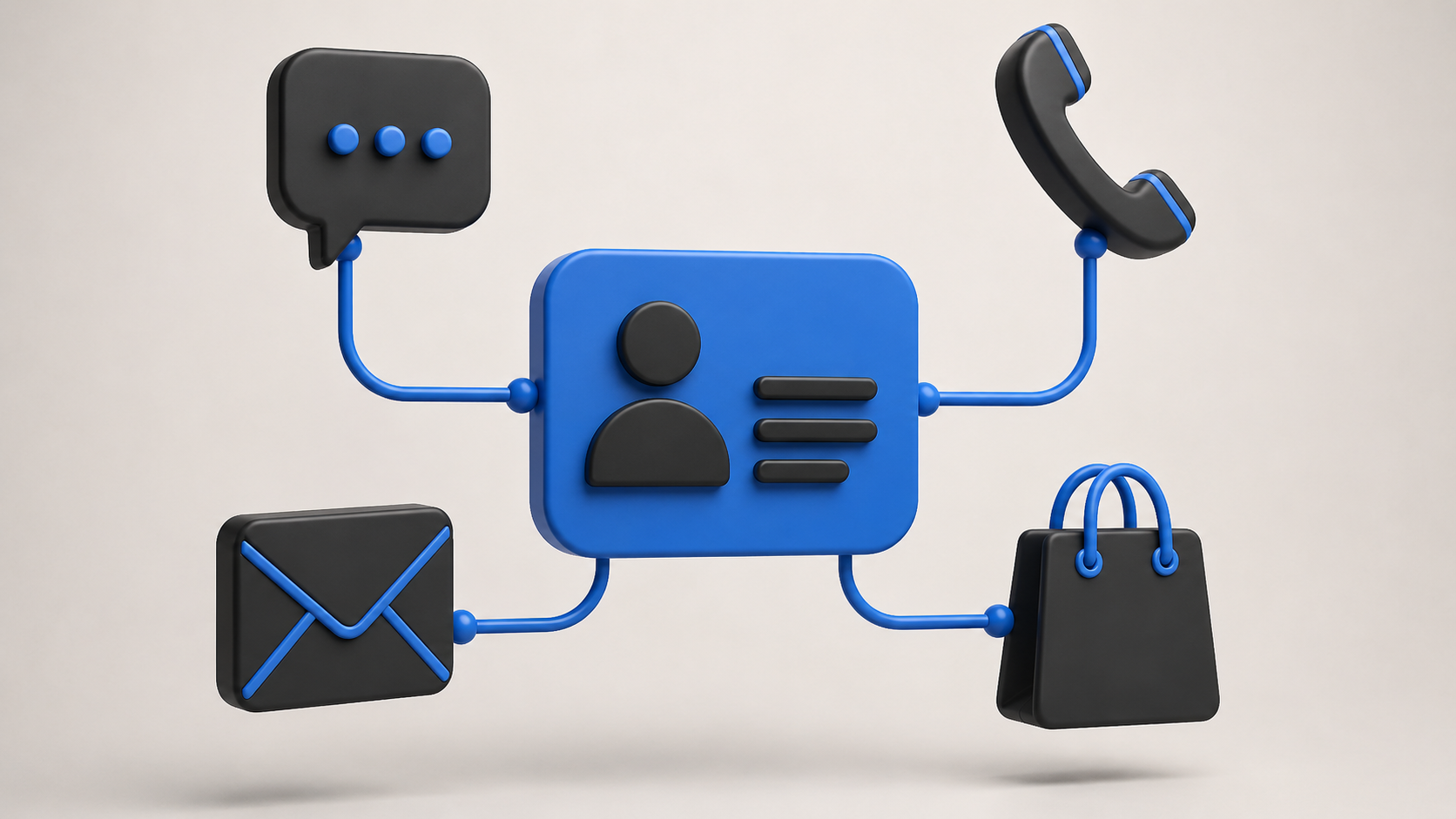
Sales Gorilla is a CRM designed for sales teams working across several communication channels. The central idea is simple: keep the relationship in one place. Instead of treating phone calls, emails, WhatsApp conversations, LinkedIn activity, deal information, and internal notes as separate pieces, Sales Gorilla organizes sales activity around the customer.
- Unified customer timelines
- Browser-based calling with automatic call recording
- AI transcription and summaries
- Pipeline and follow-up management
- Lead queues and sales activity metrics
- Multi-tenant workspaces and white-label branding
- Role-based permissions
Calling and AI are built into the core workflow rather than handled as separate tools bolted onto a traditional CRM.
One Customer Timeline Instead of Five Conversations
Open a lead and the conversation history can bring together calls, emails, WhatsApp messages, LinkedIn touches, and internal notes. Rather than asking where the customer said something, the rep can review the relationship in chronological order.
- Before a call quickly review previous interactions instead of searching inboxes and messages.
- During a handoff another rep can understand the deal without reconstructing weeks of communication.
- During follow-up see what was promised, what the customer asked for, and what the next action should be.
- During sales coaching managers can review actual activity instead of relying only on manually written CRM notes.
The CRM becomes the memory of the sales relationship rather than simply the place where the final deal stage is stored.
Calling Built Into the CRM
Phone calls are still critical for many sales teams, but calling often lives outside the CRM. A rep uses a separate dialer, writes notes somewhere else, then returns to update the deal.
Sales Gorilla puts calling directly inside the lead workflow. Its browser-based dialer is powered by Twilio, allowing users to place calls from within the CRM. The workflow becomes: open customer → call → conversation recorded → activity saved → follow-up continues instead of copying numbers, switching apps, writing notes, and returning to update the record. Removing small pieces of administration across hundreds of calls can make a significant difference to daily workflow.
AI That Listens to the Sales Conversation
Sales Gorilla records and transcribes calls and uses AI to generate summaries and searchable insights. The platform can identify objections, commitments, and next steps mentioned during calls. That solves a common CRM problem: most notes depend on the salesperson remembering to write everything down.
After a 30-minute call, a rep might enter: Good call. Customer interested. Follow up next week. That tells the rest of the team almost nothing. A structured call summary can preserve more of the conversation customer concern, requirement, commitment, and next step so the CRM contains information someone can actually use.
AI call data also changes sales coaching. Managers can review how a rep handled a pricing objection, whether they asked enough discovery questions, what the customer committed to, whether a clear next action was agreed, and where the conversation lost momentum. New salespeople can learn by reviewing strong calls from experienced reps. Sales Gorilla has processed more than 480,000 recorded and AI-analyzed calls.
A Pipeline Designed Around Movement
Sales Gorilla uses a Kanban-style pipeline where deals can move through stages such as Discovery, Qualification, Proposal, Negotiation, Closed Won, and Closed Lost. Teams can customize stages around their own sales process. Deal cards surface information such as the customer, value, age, and next scheduled action.
That last part matters. A pipeline can look healthy while containing dozens of deals nobody has touched for weeks. Sales Gorilla makes aging visible so stale opportunities are easier to notice. Instead of only seeing Proposal: $120,000, a manager can also ask how much of that pipeline has had no meaningful activity recently the difference between pipeline volume and pipeline health.
Every Deal Needs a Next Action
One of the simplest ways deals disappear is when there is no clear next step. Sales Gorilla emphasizes scheduled next actions within the pipeline. A useful sales record should answer: Where is this deal? What happened last? What happens next? Who is responsible? If the third question is unclear, the deal is still at risk. This next-action approach pushes the CRM away from passive record keeping and toward active sales execution.
The Today Screen: What Should I Work on Now?
Salespeople do not normally start the day asking which dashboard to analyze. They ask who they need to contact today. Sales Gorilla's Today screen surfaces daily activity metrics along with follow-ups, lead queues, and unassigned opportunities. Reps can also claim available leads directly from the workspace.
A typical morning might become: overdue follow-ups, scheduled calls, newly assigned leads, then unassigned leads available. The CRM becomes a daily work queue rather than a database employees visit when management reminds them to update it.
Why This Matters for Sales Managers
More dashboards do not automatically create better visibility. Managers need to understand what is happening behind the numbers how many leads are being worked, how quickly reps respond, which opportunities are becoming stale, what objections keep appearing, which follow-ups are being missed, and where the sales process slows down.
Sales Gorilla combines pipeline information with communication history and call analysis, so coaching can move from You need to close more to something more useful: customers keep raising the same implementation concern during qualification let's improve how we handle that conversation.
Built for Teams Running More Than One Business
Sales Gorilla supports multiple workspaces under one login. That can be useful for agencies managing sales for several clients, holding companies operating multiple brands, groups with separate business units, franchise environments, and SaaS providers working across different organizations.
Each workspace can maintain its own data, users, branding, and subdomain. Client A should not accidentally see Client B's leads. Tenant separation is enforced at the data layer rather than relying only on visual filtering inside the interface.
White-Label CRM Workspaces and Permissions
Individual workspaces can use their own logo, branding, interface colors, and subdomain. This branding capability is available across workspaces rather than being restricted to a separate enterprise white-label tier, which makes it particularly relevant for agencies and multi-brand groups.
Sales Gorilla includes four standard roles Owner, Manager, Rep, and Viewer designed to control what different users can access and change. Permissions are also enforced at the data layer, which becomes important when several teams, managers, clients, or business units share the same platform.
Who Is Sales Gorilla Best For?
- Outbound sales teams doing large amounts of calling and follow-up.
- Agencies managing several clients with separate workspaces and white-label branding.
- B2B sales teams whose longer conversations move through several channels before closing.
- Appointment-setting teams that need strong calling and follow-up workflows.
- Distributed sales teams that cannot rely on overhearing office conversations.
- Multi-brand businesses that need separate workspaces without treating each brand as an unrelated CRM environment.
When Might You Need Something Else?
No CRM is automatically right for every company. A business may need extremely complex enterprise approval workflows, heavy custom development, deep ERP integration, industry-specific regulatory functionality, large-scale marketing automation, customer service operations, advanced territory planning, or very specialized reporting. In those cases, a larger CRM ecosystem or a custom solution may be more appropriate.
The useful question is not whether Sales Gorilla is better than every other CRM. It is whether Sales Gorilla matches the way your sales team actually works.
Sales Gorilla vs Traditional CRM Platforms
Platforms such as Salesforce, HubSpot, and Zoho cover broad areas of CRM and can support many business functions. Sales Gorilla takes a narrower approach focused on multi-channel selling, calling, follow-ups, customer context, and deal execution.
| Need | Sales Gorilla Approach |
|---|---|
| Customer activity | One chronological relationship timeline. |
| Calling | Built into the lead workflow with Twilio-powered browser dialing. |
| Call notes | AI transcription and summaries. |
| Pipeline | Kanban with deal age and next actions. |
| Daily work | Follow-ups and lead queue on the Today screen. |
| Multiple businesses | Separate tenant workspaces with optional white-label branding. |
| Access | Owner, Manager, Rep, and Viewer roles enforced at the data layer. |
How to Know If Your Current CRM Is the Problem
- Reps keep their own notes outside the CRM in spreadsheets, Notion, or personal files.
- Calls are invisible managers know a call occurred but not what happened during it.
- Follow-ups depend on memory and reps regularly forget to follow up.
- Nobody trusts the pipeline because deal records do not contain enough current information.
- New reps struggle to learn from existing deals.
- Teams manually copy information between too many tabs for one customer.
How to Introduce Sales Gorilla to a Sales Team
- Clean the existing pipeline remove duplicates, dead opportunities, outdated contacts, incorrect stages, and test records.
- Define your sales stages so everyone knows what Discovery, Qualified, and Proposal actually mean.
- Require a next action on every active opportunity.
- Connect the channels your team actually uses so the CRM does not ignore half of sales activity.
- Train managers on calls and conversation history as coaching tools, not surveillance.
- Review adoption after launch activity logging, follow-up completion, timeline completeness, stage accuracy, call-insight usage, and stale-deal trends.
What Should a Multi-Channel Sales Team Measure?
- First response time how quickly the team responds to new leads. Sales Gorilla customers have reported an average 32% improvement after switching; treat this as a vendor-reported figure and validate it in your own workflow.
- Leads worked whether new leads are actually being contacted.
- Follow-up completion whether scheduled next actions happen.
- Stage conversion qualified deals to proposal, and proposals to wins.
- Deal age how long opportunities stay in each stage.
- Win rate and activity quality quantity alone does not tell the whole story.
The Bigger Idea Behind Sales Gorilla
The most useful idea behind Sales Gorilla is not any individual CRM feature. It is that the sales conversation should be the center of the CRM. Salespeople do not experience the customer relationship as database fields. They experience it as a series of conversations a call leads to an email, an email leads to a LinkedIn message, that message leads to another call, an objection appears, a proposal goes out, and a follow-up moves the deal forward.
By bringing those interactions into one timeline, the CRM can represent the relationship more closely to how it actually happens.
Where to Go From Here
Multi-channel sales is not going away. Customers use the channel that is convenient for them, not necessarily the channel your CRM prefers. Sales Gorilla approaches the problem by combining customer timelines, browser calling, AI call analysis, pipeline management, follow-up queues, multiple workspaces, white-label branding, and role-based permissions in one sales environment.
Before switching, map how your sales team works today. Ask where conversations happen, where notes are stored, how follow-ups are managed, whether managers can understand why deals are stuck, how many systems a rep opens for one customer, and what gets lost when a deal moves between team members. If the answer keeps coming back to disconnected conversations, the CRM may be part of the problem.
The goal is not simply to have another place to store customer data. It is to give salespeople one place where they can understand the relationship, see what needs to happen next, and keep the deal moving.
Frequently Asked Questions
What is Sales Gorilla?
Sales Gorilla is a CRM built for multi-channel sales teams. It combines customer communication history, calling, AI call analysis, pipeline management, follow-ups, and lead workflows in one platform.
Which sales channels does Sales Gorilla support?
Sales Gorilla is designed around sales activity across channels including phone, email, WhatsApp, and LinkedIn, with interactions organized around a unified customer timeline.
Does Sales Gorilla include calling?
Yes. Sales Gorilla includes a browser-based Twilio-powered dialer that allows calls to be placed from within the lead workflow. Calls can also be recorded and transcribed.
How does Sales Gorilla use AI?
The platform uses AI to analyze recorded sales calls. It can create call summaries and surface information such as objections, commitments, and next steps mentioned during the conversation.
Can Sales Gorilla manage multiple businesses?
Yes. Sales Gorilla supports multiple isolated workspaces under one login. Each workspace can have its own users, data, subdomain, and branding, which makes the structure relevant to agencies, holding companies, and multi-brand businesses.
Does Sales Gorilla support white-label branding?
Yes. Individual workspaces can use their own logo and interface branding, allowing organizations to create separate branded CRM environments.
Who is Sales Gorilla best suited for?
It is particularly relevant to outbound, B2B, agency, appointment-setting, and other sales teams that communicate with prospects across several channels and need calling, follow-ups, and customer communication history in the same CRM.
How is Sales Gorilla different from a traditional CRM?
Its main difference is focus. Rather than trying to cover every possible CRM use case, Sales Gorilla is centered on multi-channel sales execution, including communication history, integrated calling, AI conversation analysis, follow-ups, and pipeline movement.
Ready to estimate your app cost?
Use our free calculator to get a personalised cost breakdown in 2 minutes.
Calculate Your App Cost